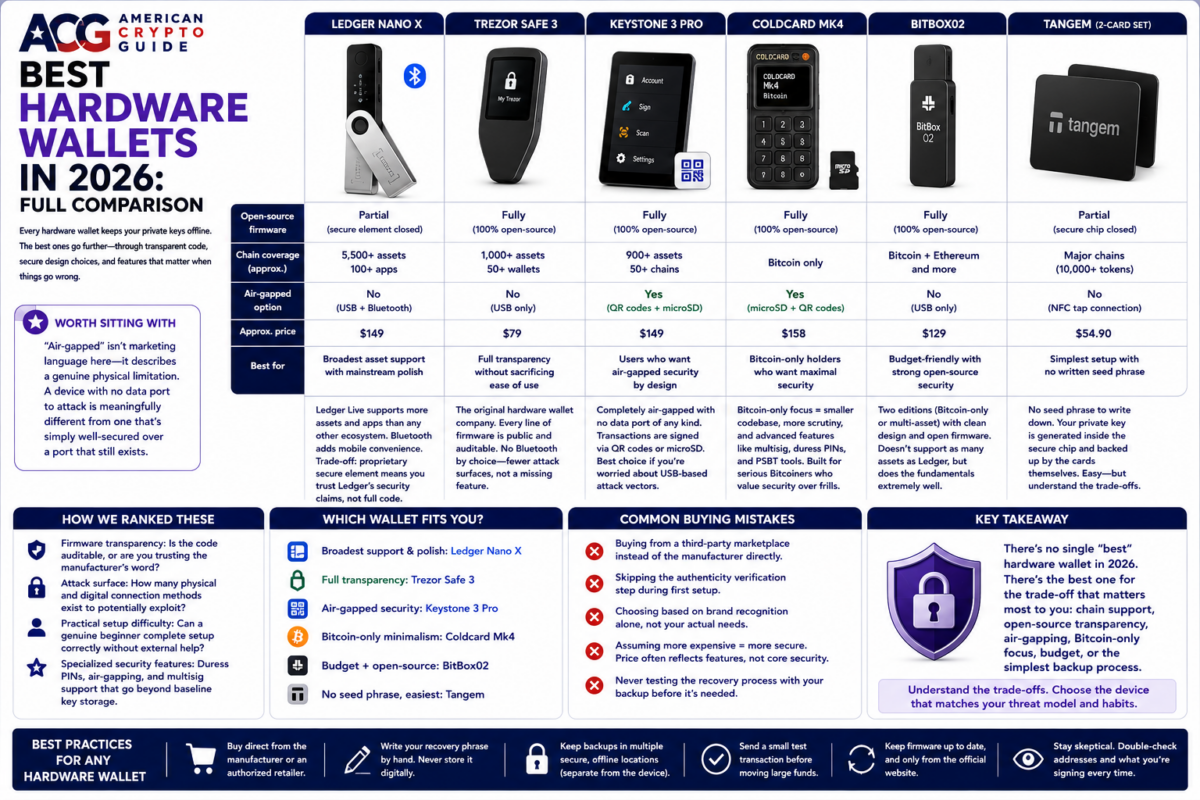
Best Hardware Wallets in 2026: Full Comparison

What actually separates a good hardware wallet from a great one
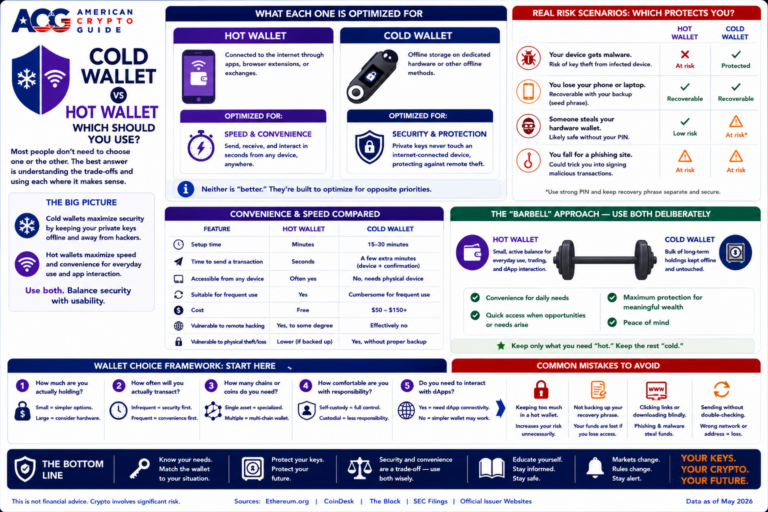
Every hardware wallet on the market claims to keep your private keys offline — that part is table stakes, not a differentiator. What actually separates the good options from the great ones comes down to three quieter details: how the device is verified as genuine before you trust it, how much of its code is actually auditable, and how it behaves in the specific failure scenario you’re least prepared for — a lost device, a coerced transaction, or a compromised computer on the other end of the cable. This list ranks six devices specifically on those dimensions, not just brand recognition.
The quick comparison table
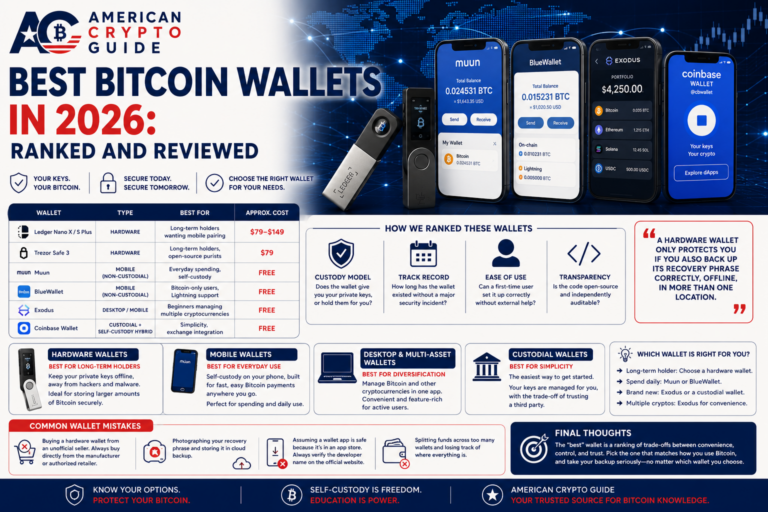
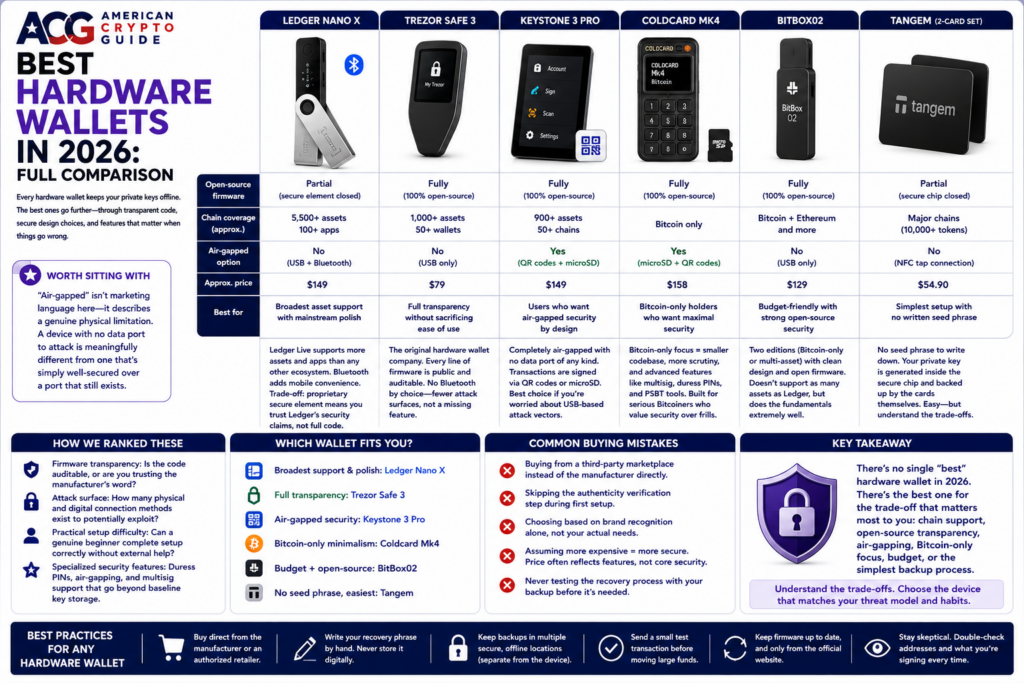
| Device | Open-source firmware | Chain coverage | Air-gapped option | Approx. price |
|---|---|---|---|---|
| Ledger Nano X | Partial | 5,500+ | No | $149 |
| Trezor Safe 3 | Fully | 1,000+ | No | $79 |
| Keystone 3 Pro | Fully | 900+ | Yes (QR-based) | $149 |
| Coldcard Mk4 | Fully | Bitcoin only | Yes (microSD/QR) | $158 |
| BitBox02 | Fully | Bitcoin + Ethereum focus | No | $129 |
| Tangem | Partial | Major chains | No (card-based) | $54.90 (2-card set) |
 You might also likeWhat Is Bitcoin? A Complete Beginner’s Guide
Best overall: Ledger Nano X
Ledger remains the most widely supported hardware wallet in terms of raw chain and app compatibility, largely because Ledger Live has been the default integration target for years across the industry. Bluetooth support adds mobile convenience most competitors lack. The trade-off, consistent across Ledger’s lineup, is partially closed-source firmware — you’re trusting the manufacturer’s security claims more than you would with a fully open-source alternative. Full specs at https://www.ledger.com.
Best fully open-source: Trezor Safe 3
Trezor was the first hardware wallet ever built, and its current Safe 3 model keeps the open-source philosophy that’s defined the brand since the beginning — every line of firmware is publicly auditable by independent researchers. It lacks Bluetooth, a deliberate design choice some see as reducing attack surface rather than a missing feature. Documentation at https://trezor.io.
Best for air-gapped signing: Keystone 3 Pro
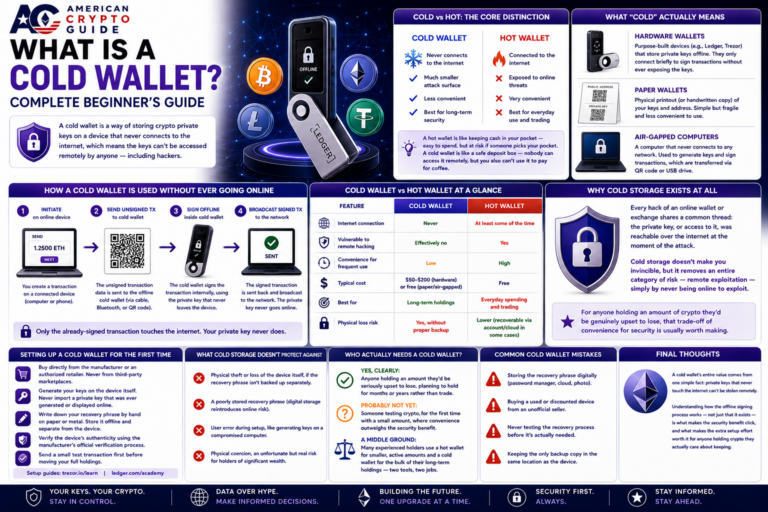
Keystone takes a fundamentally different physical approach: instead of a USB or Bluetooth connection, it communicates entirely through QR codes and a microSD card, meaning it never has a direct electronic connection to any other device at all. For users specifically worried about USB-based attack vectors or firmware exploits delivered over a cable, this air-gapped design closes off an entire category of risk that even other high-security devices don’t fully address.
Worth sitting with: «air-gapped» isn’t marketing language here — it describes a genuine physical limitation. A device with no data port to attack is meaningfully different from one that’s simply well-secured over a port that still technically exists.
📬Did you like this article?
Subscribe and receive our posts directly in your inbox. Free!
Sin spam. Puedes darte de baja cuando quieras.
Best Bitcoin-only, no compromises: Coldcard Mk4
Coldcard deliberately supports Bitcoin exclusively, and that narrow focus is the entire point — a smaller codebase means fewer things that can go wrong, and a team that can focus entirely on Bitcoin-specific security features like advanced multisig support and duress PINs (a decoy PIN that opens a separate, low-balance wallet under coercion). For Bitcoin-only holders who don’t need multi-chain support, this focus is a genuine security advantage over general-purpose devices.
Best budget option: BitBox02
BitBox02 offers fully open-source firmware and a straightforward setup process at a lower price point than Ledger or Keystone, with two hardware variants — one optimized for Bitcoin-only use, another supporting Ethereum and additional assets. It lacks some of the broader chain support of Ledger, but for its price, the security fundamentals are comparable to devices costing considerably more.
Best for beginners who fear seed phrases: Tangem
Tangem takes an unusual form factor — a set of two or three durable, credit-card-sized devices using NFC (tap-to-connect) rather than a screen and buttons. There’s no traditional 12- or 24-word seed phrase to write down at all; instead, the cards themselves function as the backup, with the private key generated inside a secure chip and never displayed to the user in any form. This removes an entire category of common beginner mistakes — a lost or mishandled written seed phrase — at the cost of a different risk: if you lose or damage all your backup cards simultaneously without ever having exported a phrase, recovery options become more limited.
How we ranked these
- Firmware transparency — is the code auditable, or are you trusting the manufacturer’s word alone?
- Attack surface — how many physical and digital connection methods exist to potentially exploit?
- Practical setup difficulty — can a genuine beginner complete setup correctly without external help?
- Specialized security features — duress PINs, air-gapping, and multisig support that go beyond baseline key storage.
Which hardware wallet fits which type of person
- You want the broadest asset support with mainstream polish: Ledger Nano X.
- You want full code transparency without sacrificing usability: Trezor Safe 3.
- You’re specifically worried about USB or Bluetooth-based attacks: Keystone 3 Pro.
- You hold Bitcoin only and want the narrowest possible attack surface: Coldcard Mk4.
- You want strong open-source security on a tighter budget: BitBox02.
- You want the simplest possible setup with no written seed phrase: Tangem.
Common hardware wallet buying mistakes
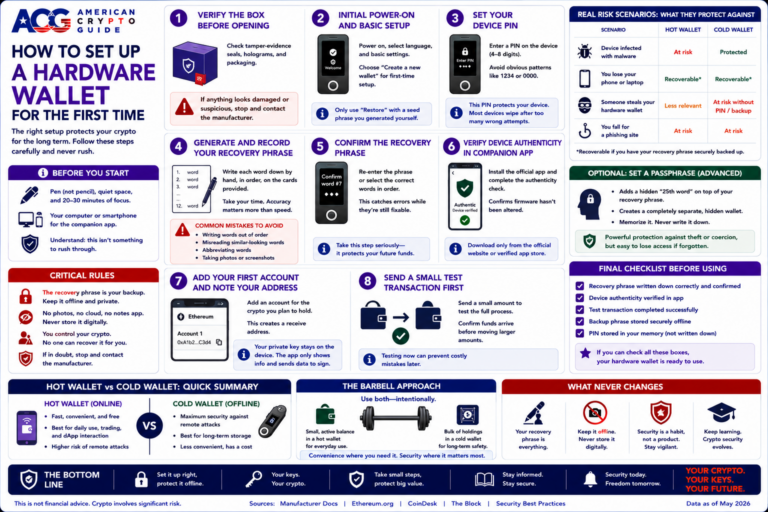
- Buying from a third-party marketplace listing instead of the manufacturer directly. Devices purchased outside official channels have occasionally been tampered with before the buyer received them.
- Skipping the manufacturer’s authenticity verification step during first setup, which exists specifically to catch tampered devices.
- Choosing based on brand recognition alone, without considering which specific trade-offs — chain support, open-source firmware, air-gapping — actually matter for your situation.
- Assuming a more expensive device is automatically more secure. Price often reflects chain support and convenience features more than core security.
- Never testing the recovery process with the actual backup method before it’s genuinely needed.
Final thoughts
There’s no single «best» hardware wallet in 2026 — there’s a best one for whichever trade-off matters most to you: broad chain support, full code transparency, physical air-gapping, Bitcoin-only minimalism, budget, or the simplest possible backup process. Understanding which of those trade-offs you actually care about is a more useful starting point than any single ranked list, including this one.